Gemini for Recruitment: What It Is Genuinely Good At, and Where It Stops
Gemini lives inside the documents recruiters already work in, and that shapes exactly what it can do. The plays worth running, and the wall every one of them hits.
Gemini drafts the work. Instalent finds the people.
The useful question about Gemini is not whether it is smarter than the other assistants. It is where it sits. Gemini runs inside the documents, spreadsheets and mail a recruiter already works in, and that single fact predicts almost everything it is good at and everything it is not. Read Google's own recruiting guidance and the boundary is drawn for you, in public, by the vendor.
Google's own recruiting playbook draws the line
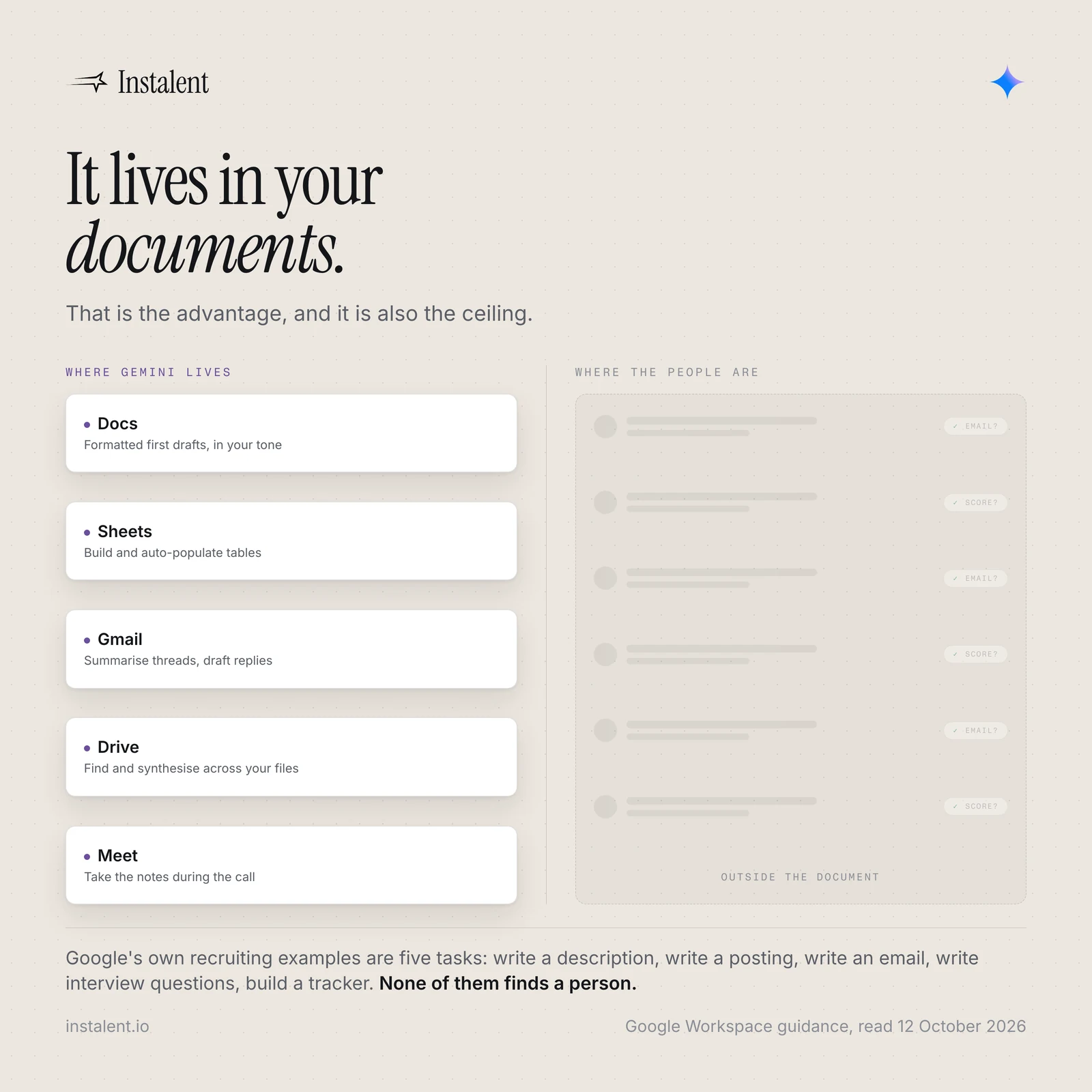
Google publishes a Workspace guide called Use Gemini for human resources. Its recruiting and hiring section lists five tasks, each with an example prompt and the app it runs in:
- Draft a job description (Docs)
- Draft a job posting (Docs)
- Send an outreach email to a candidate (Gmail)
- Prepare interview questions (Docs)
- Track an interview pipeline (Sheets)
Read that list again. Every one is writing or admin. Not one of them finds a person. That is not an oversight in the documentation, it is an accurate description of the product, and it is the most useful thing a recruiter can know before building a workflow on top of it.
This is a boundary, not a criticism
A tool that drafts and summarises well is genuinely valuable on a desk, because a large share of the week is drafting and summarising. The mistake is not using Gemini. The mistake is expecting the sourcing half of the job to be inside it, discovering in week three that it is not, and concluding that AI does not work for recruiting.
The real advantage: it is already where the work is
Other assistants reach your documents through an app, an extension or a connector. Gemini is built into the Workspace apps themselves, so it is a panel inside the file you already have open, and for a desk that runs on documents that difference compounds. Google's own descriptions of what it does per app:
- Gmail - summarise threads, find key details, draft emails
- Docs - produce formatted first drafts and match your tone and style
- Sheets - build spreadsheets, auto-populate tables, and work from plain-language prompts
- Drive - find, summarise and synthesise across your files
- Meet - take notes during the call
For an agency desk the Drive one is quietly the most valuable. Every firm has years of briefs, notes and reports sitting in storage that nobody can search properly. Being able to ask a question across all of it, in place, is worth more than another chat window.
It is included in Workspace plans rather than sold as a separate assistant subscription, which matters mostly because it removes the argument about whether to buy it.
Deep Research is the one genuinely new capability
In April 2026 Google released Deep Research Max, an autonomous research agent built on Gemini 3.1 Pro that runs extended, iterative searching and returns a cited report with visualisations. Google describes it as using "extended test-time compute to iteratively reason, search and refine the final report" for asynchronous work where comprehensiveness matters more than speed, and says it consults significantly more sources than the previous release.
For a recruiter the honest use is research, not sourcing:
- Company and market intelligence before a client pitch, with citations you can check
- Reconstructing how a function is typically organised in a sector, as input to a market map
- Context on a comp band, a regulation or a technology before you have to sound credible on a call
It also accepts file uploads, connected file stores and remote MCP connections, so the research can run against your own material and not only the open web. That is the same plumbing described in MCP for recruiters, and it is the direction every assistant is moving.
Two cautions. A cited report is not a verified one: the citations are real links, but whether they support the sentence attached to them is still your job to check. And the output is prose about a market, never a list of people you can contact.
The privacy difference that actually matters
This is the part most comparisons skip, and for anyone handling candidate data it is the serious one. Google states that under its standard Workspace plans your data is not used to train models.
That is a materially different posture from pasting a CV into a consumer chatbot on a personal account, and it is the strongest practical argument for doing recruiting work in the Workspace version rather than whatever is open in a browser tab. It is not legal advice and it does not remove your obligations to the candidate, but it changes the risk conversation with a client.
Where every Gemini recruiting play stops
The same wall as every general assistant, and worth naming plainly.
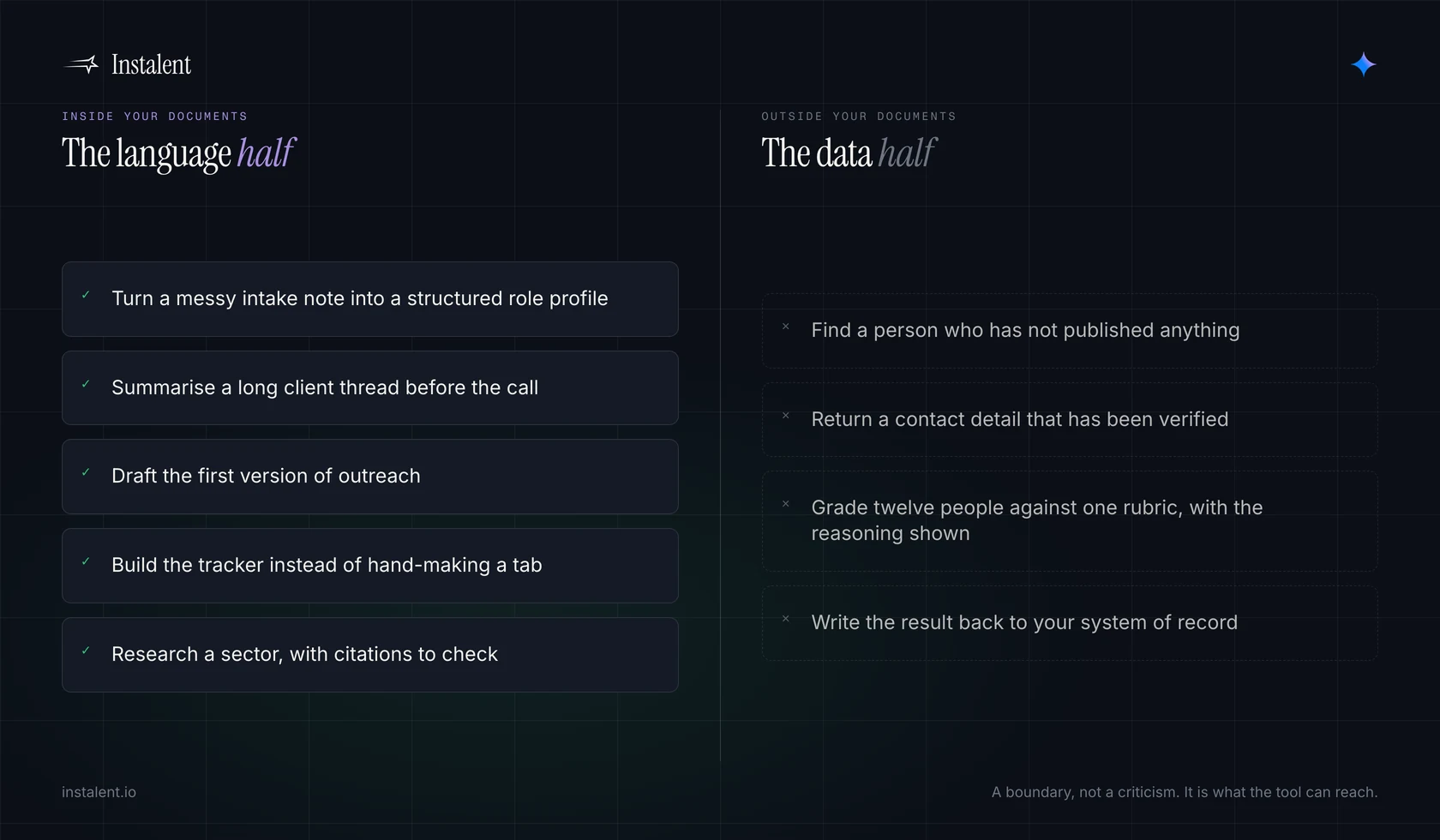
- It cannot find a person who has not published. It can reason about where a profile might exist. It cannot run a live search across sources and hand you people.
- It has no verified contact data. Ask for an email and you get a plausible pattern, not a checked address. The gap between those two is the entire job.
- It does not score a slate. It will summarise a CV warmly. It will not grade twelve people against the same rubric and show you the per-criterion reasoning, which is the part a client argues with. That discipline is in scoring a shortlist.
- Nothing writes back to your system of record. Every output is text you copy somewhere else, and the copying is where the record quietly stops being true.
What to actually give it on Monday
Five jobs where it earns its place on a desk today, all of them real work:
- Turn a messy intake note into a structured role profile you can argue with, before you write a search. The discipline for that document is in the sourcing brief, and the conversation that produces it is in the intake call.
- Summarise a long client thread before a call so you walk in knowing what was promised.
- Draft the first version of outreach, then rewrite it yourself, because the generic version is the one every candidate already deletes. Approach fatigue covers why the list matters more than the wording anyway.
- Build the tracker in Sheets instead of hand-making another tab.
- Run Deep Research on a sector before a BD meeting, then verify the three claims you intend to repeat out loud.
Gemini plus a sourcing system
The division of labour is clean, and it is the same one that applies to ChatGPT and Claude. The assistant is excellent at the language half of recruiting. The other half is data: finding real people, verifying how to reach them, scoring them against criteria, and keeping one record that stays true.
AI candidate sourcing searches live sources and streams real profiles, contact enrichment checks contact details across multiple providers rather than guessing a pattern, and candidate analysis grades the slate against your criteria with the reasoning visible per criterion. The agency view is on solutions for recruitment agencies.
Use Gemini for the words. Use a sourcing system for the people.
Want the half Gemini cannot do? Get started
Common questions
Can Gemini find candidates?
No. Google's own Workspace guidance for human resources lists five recruiting tasks, and all five are drafting or admin: writing a job description, writing a job posting, sending an outreach email, preparing interview questions and building a pipeline tracker. Gemini can reason about where a profile might exist, but it cannot run a live search across sources and return real people with verified contact details.
What is Gemini genuinely good at for recruiters?
The language and synthesis half of the week, in the place that work already happens. Google describes it summarising threads and drafting in Gmail, producing formatted first drafts in Docs, building and auto-populating tables in Sheets, and finding and synthesising across files in Drive. For an agency, searching years of stored briefs and notes in place is often the most valuable of these.
Is Gemini Deep Research useful for recruiting?
For research, yes. Deep Research Max, released in April 2026 and built on Gemini 3.1 Pro, runs extended iterative searching and returns a cited report, and it accepts file uploads, connected file stores and remote MCP connections so it can work over your own material. Use it for market and company intelligence before a pitch. A cited report is not a verified one, so check the claims you intend to repeat, and remember the output is prose about a market rather than people you can contact.
Is it safe to put candidate data into Gemini?
Safer than a consumer chatbot on a personal account, because Google states that under its standard Workspace plans your data is not used to train models. That changes the risk conversation with a client, but it is not legal advice and it does not remove your obligations to the candidate.
Sources
- Use Gemini for human resources - Google Workspace Learning Center (the recruiting and hiring section lists five tasks with example prompts: draft a job description in Docs, draft a job posting in Docs, send an outreach email to a candidate in Gmail, prepare interview questions in Docs, track an interview pipeline in Sheets).
- AI in Google Workspace - Google Workspace (per-app capabilities for Gmail, Docs, Sheets, Slides, Drive and Meet; Gemini included in Workspace plans rather than sold as a separate add-on; states data is not used to train models under its standard plans).
- Deep Research Max: a step change for autonomous research agents - Google, 21 April 2026 (built on Gemini 3.1 Pro; uses "extended test-time compute to iteratively reason, search and refine the final report"; consults significantly more sources than the December release; supports remote MCPs, file uploads and connected file stores, plus multimodal grounding).
- Gemini - Google DeepMind (current model lineup; Gemini 4 Argon described as delivering "frontier performance in complex workflows across real-world software engineering, enterprise knowledge work like legal and finance, and cybersecurity defense").
Find better candidates, faster
Source, verify and reach candidates on one engine. Get 25% off your first month.
Keep reading