The 3 Instalent Skills That Run Your Sourcing, Prospecting & Outreach
Install the 3 Instalent Skills and your AI assistant runs candidate sourcing, client prospecting, and outreach campaigns end to end - no prompt engineering.
Do this in Instalent - source, verify and reach candidates in one flow.
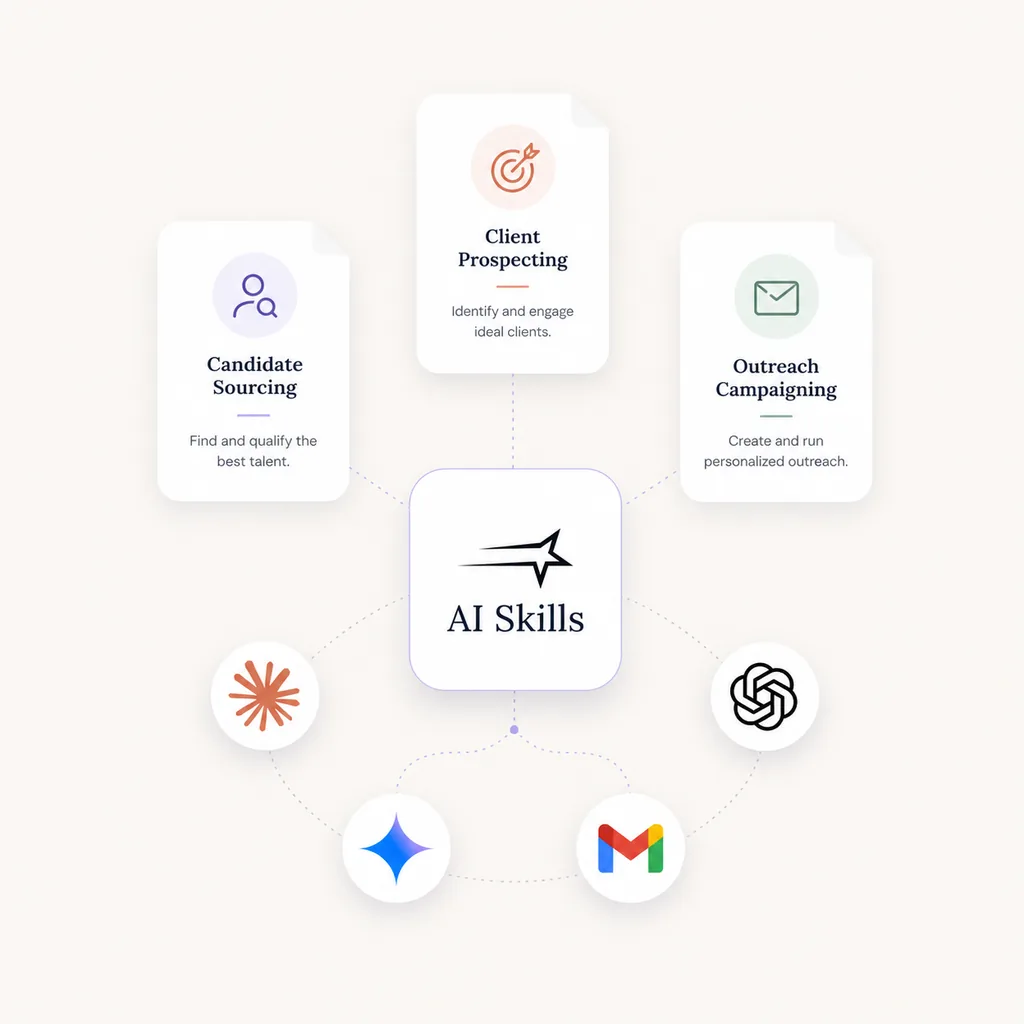
You already know what good sourcing, prospecting, and outreach look like. The three Instalent Skills hand that know-how to your AI assistant - so it runs the workflow the way an experienced recruiter would, not the way a chatbot guesses.
Here's the honest truth about working with AI assistants: most of the magic isn't the model, it's the instructions. The same assistant can give you a brilliant shortlist or a useless one depending on how well you brief it. And learning to brief it well - what recruiters now call prompt engineering - is a real skill most people don't have time to learn.
Agent Skills fix that. Think of them as small, downloadable playbooks you hand your assistant once. After that, when you ask for the kind of work the playbook covers, the assistant already knows the right steps, the right order, and the right questions to ask you. You stay in plain English. The skill does the heavy lifting underneath.
Instalent ships three of them, and this post is your quick tour: what each one does, where to download it, and how to install all three in a couple of minutes.
First, connect the MCP
Skills tell your assistant how to run the work, but they need the Instalent connector switched on to actually do it. If you haven't set that up yet, start with the five-minute Instalent MCP setup guide, then come back here.
What an Agent Skill actually is
No jargon, just the idea: a skill is a folder of instructions - packaged as a .zip - that teaches your AI assistant a specific job, end to end. You install it once. From then on, it sits quietly in the background and wakes up when it's relevant.
So you don't go hunting for a menu or remembering a magic command. You just say what you want - "find me senior data engineers in Amsterdam" - and the matching skill recognizes the request and takes the wheel. It knows to source first, then score against what you care about, then enrich the people worth reaching. You get the polished result without having to choreograph every step.
That's the whole point. Skills turn "I hope I phrased that right" into "it just knows how I work." Here are the three that come with Instalent.
Candidate Sourcing - finding the people you want to hire
This is the one most recruiters reach for first. Describe the role the way you'd brief a colleague - the seniority, the kind of company, the must-haves, the nice-to-haves - and the skill runs the full sourcing motion for you.
It sources people who fit the shape of the role, not just an exact keyword match. It scores each one against your criteria, so you see why someone made the list, not a mystery rating. And it enriches the strongest matches with verified contact details in a sensible order: LinkedIn first, then email, then phone. What lands on your desk is a real shortlist - people you can actually reach - instead of a wall of names.
Download candidate-sourcing.zipThe sourcing playbook: brief in plain English, get a scored, enriched shortlist back.Client Prospecting - winning new clients
If you run an agency, you know finding great candidates is only half the job. You also have to find companies who need them. This skill is built for exactly that: business development, not candidate search.
Point it at your niche and it finds the decision-makers and companies worth a conversation - the ones that are hiring right now, recently raised funding, or just changed leadership. Those are the moments a company is most likely to need outside help, and the most likely to take your call. Instead of cold-guessing which firms to chase, you start the week with a warm list of who's actually in motion.
Download client-prospecting.zipFor agencies: surfaces companies in hiring mode and the decision-makers behind them.Outreach Campaigns - turning a shortlist into replies
A great list nobody contacts is just a spreadsheet. This skill helps you close that gap by drafting and launching multi-step outreach across email and WhatsApp.
What makes it feel human is the order it works in. Before it writes a word, it interviews you about tone, angle, and who you're writing to - so the messages sound like you, not a template. Then it drafts the full sequence for you to read. And it never sends anything until you explicitly say go. You keep the final call on every campaign; the skill just removes the blank-page problem and the busywork.
Download outreach-campaigns.zipDrafts multi-step email and WhatsApp sequences - and only launches on your OK.If outreach is the part you most want to sharpen, our cold outreach templates make a good companion read once the skill is in place.
Install your skills in Claude
Got the three zips? Good. Installing them takes about a minute each, and the steps are the same every time. We'll use Claude for the walkthrough because the screens are clear - but as you'll see at the end, this works in other assistants too.
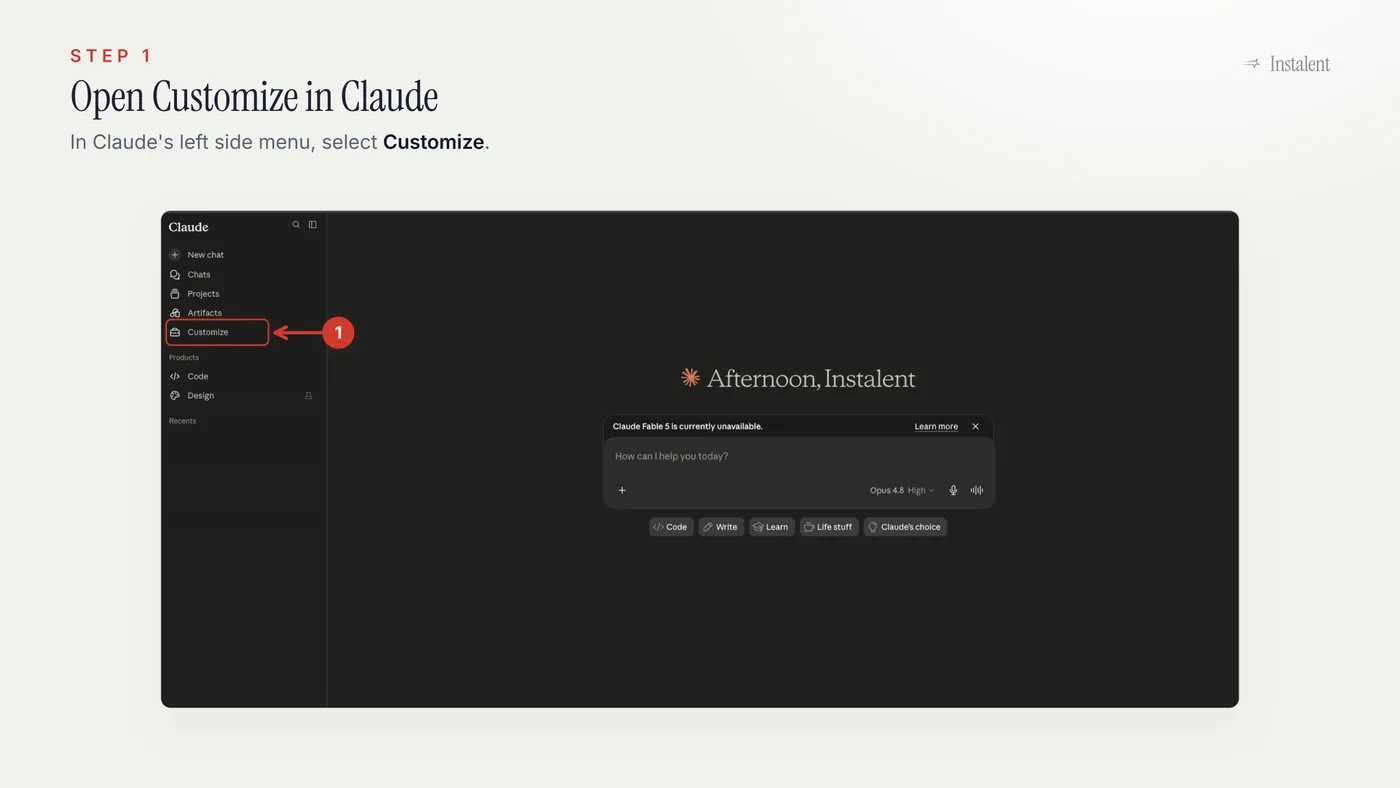
Step 1: Open Customize
Open Claude, head to the left menu, and choose Customize. This is the same place you set up the MCP connector - it's where Claude keeps both connectors and skills.
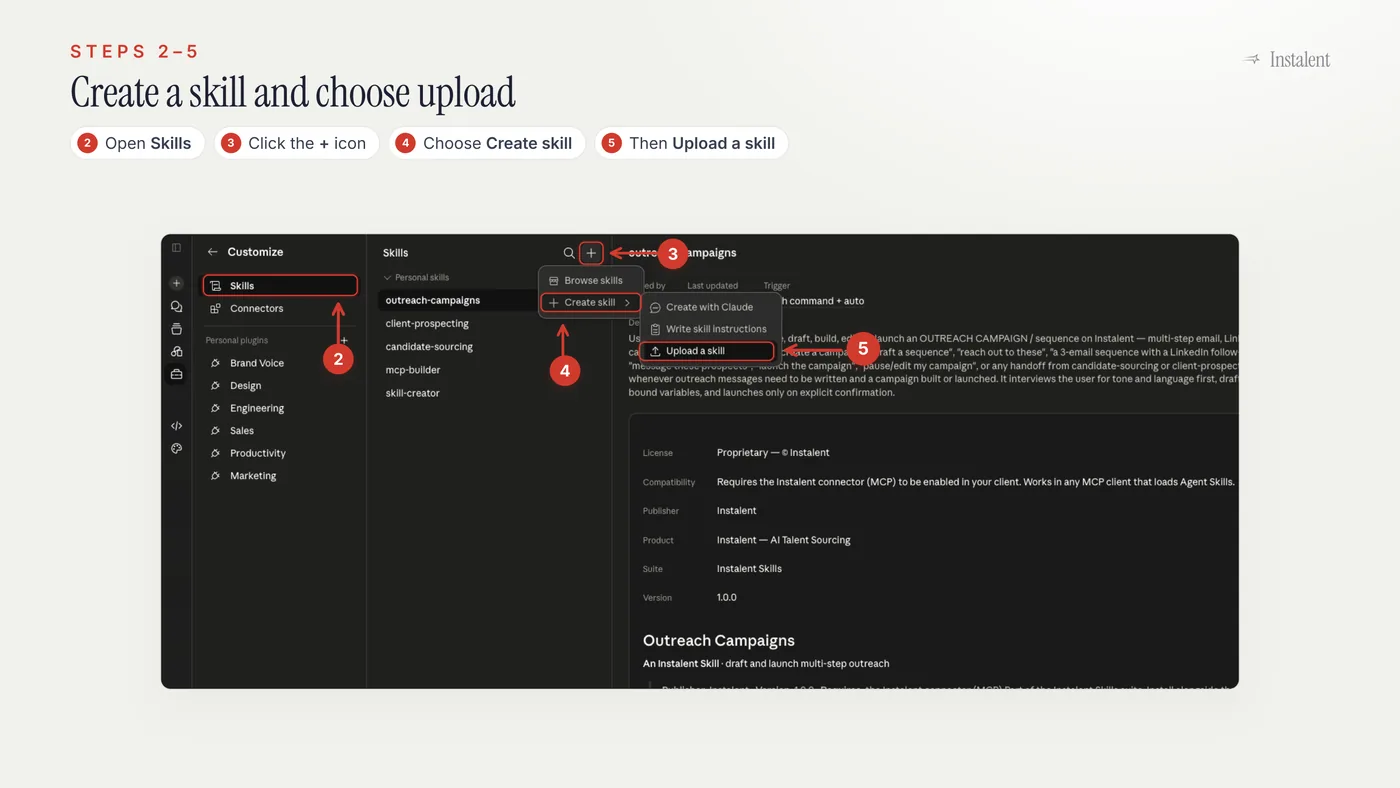
Steps 2 to 5: Create a new skill
Inside Customize, open Skills, click the + button, choose Create skill, then pick Upload a skill. That tells Claude you're bringing your own playbook rather than building one from scratch.
Step 6: Upload the skill zip
In the upload dialog, drag and drop one of the Instalent zips - candidate-sourcing.zip, client-prospecting.zip, or outreach-campaigns.zip. Claude reads the playbook and adds the skill.
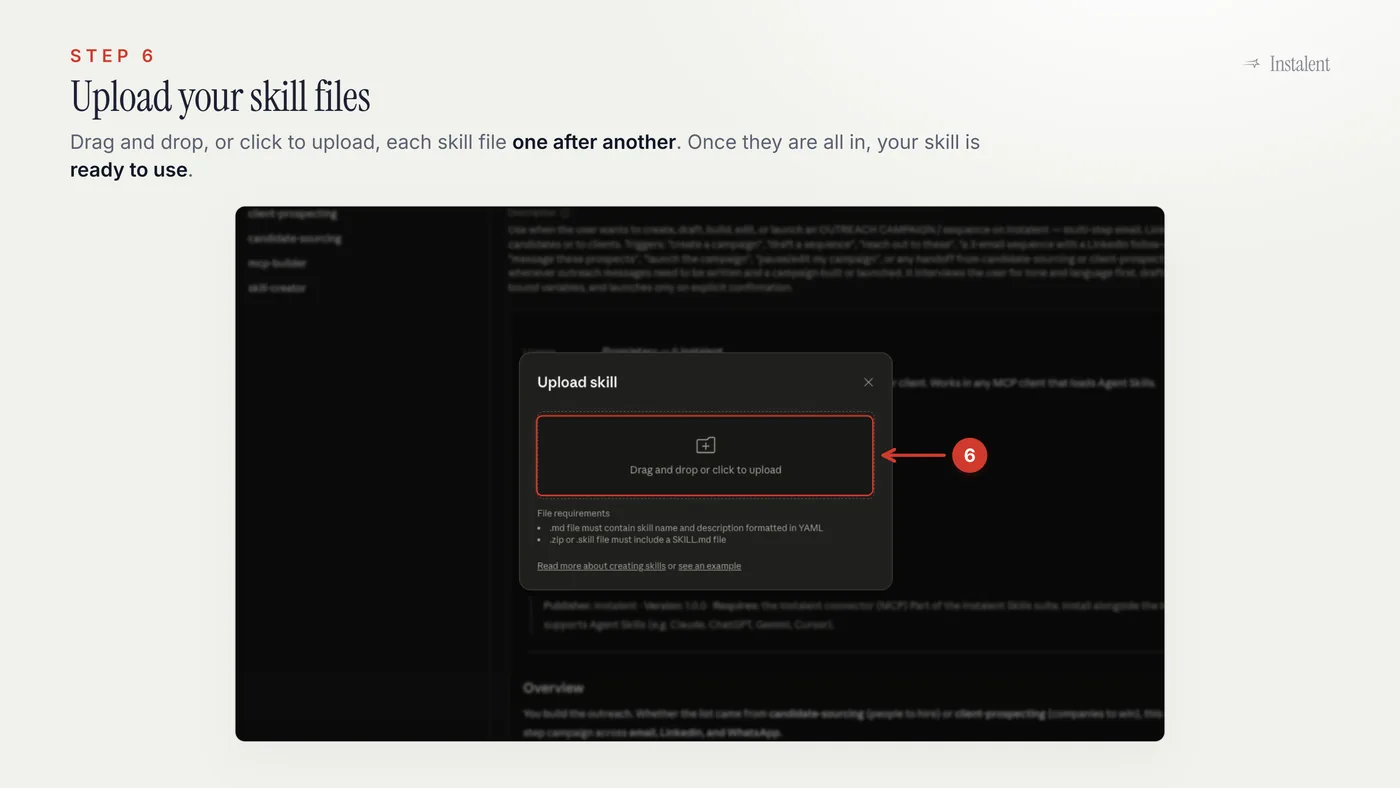
That's it. Run through those steps once per zip and all three skills are installed. From here on you don't pick a skill from a menu - you just ask for the work, and the right one steps in.
Using a different AI assistant?
Claude is only the example here. Agent Skills are an open standard, so any assistant that loads them - like ChatGPT, Gemini, or Cursor - works the same way: open its skills area, upload the .zip, done. The buttons and labels will look a little different from assistant to assistant, but the Instalent zips don't change - the same three files work wherever your team prefers to work.
You've got the playbooks. Go run a search.
With the connector live and these three skills installed, your AI assistant isn't just able to use Instalent - it knows how to use it like a recruiter. Sourcing, prospecting, and outreach all start with a plain sentence and end with something you can act on.
If you skipped the connector step, loop back to the Instalent MCP setup guide first. And if you're weighing where this fits in your wider workflow, the Instalent product overview shows the full picture.
Create your free account, install the skills, and let your assistant run the busywork. Start free →
New to the protocol underneath all this? Start with MCP for recruiters, which explains what connecting your AI to your stack actually means and the questions worth asking first. Then recruiting MCP server covers which recruiting products have shipped one and how to tell a working connector from a read-only one.
Sources / Learn more
Find better candidates, faster
Source, verify and reach candidates on one engine. Get 50% off your first month.
Keep reading
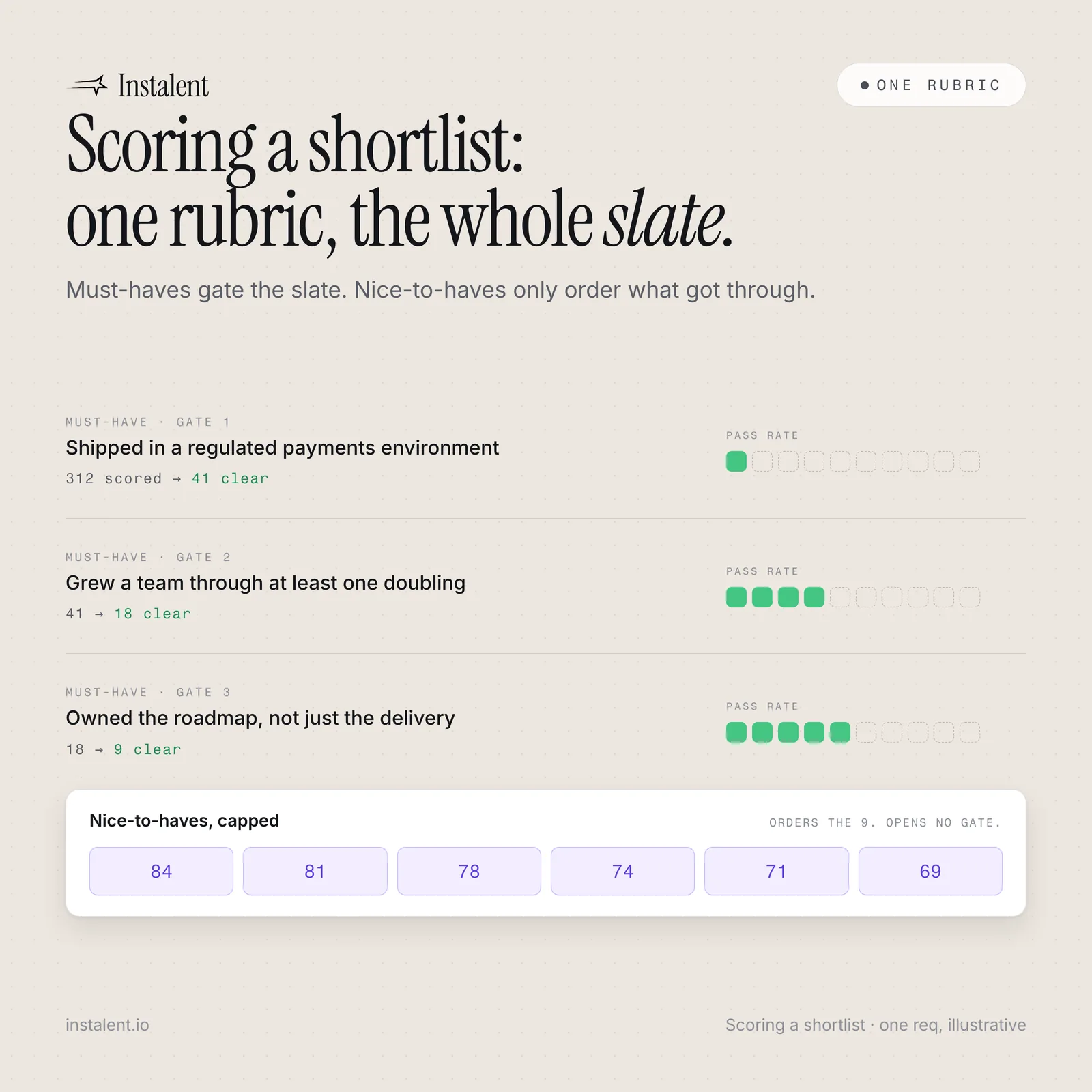
Scoring a Shortlist: One Rubric, the Whole Slate
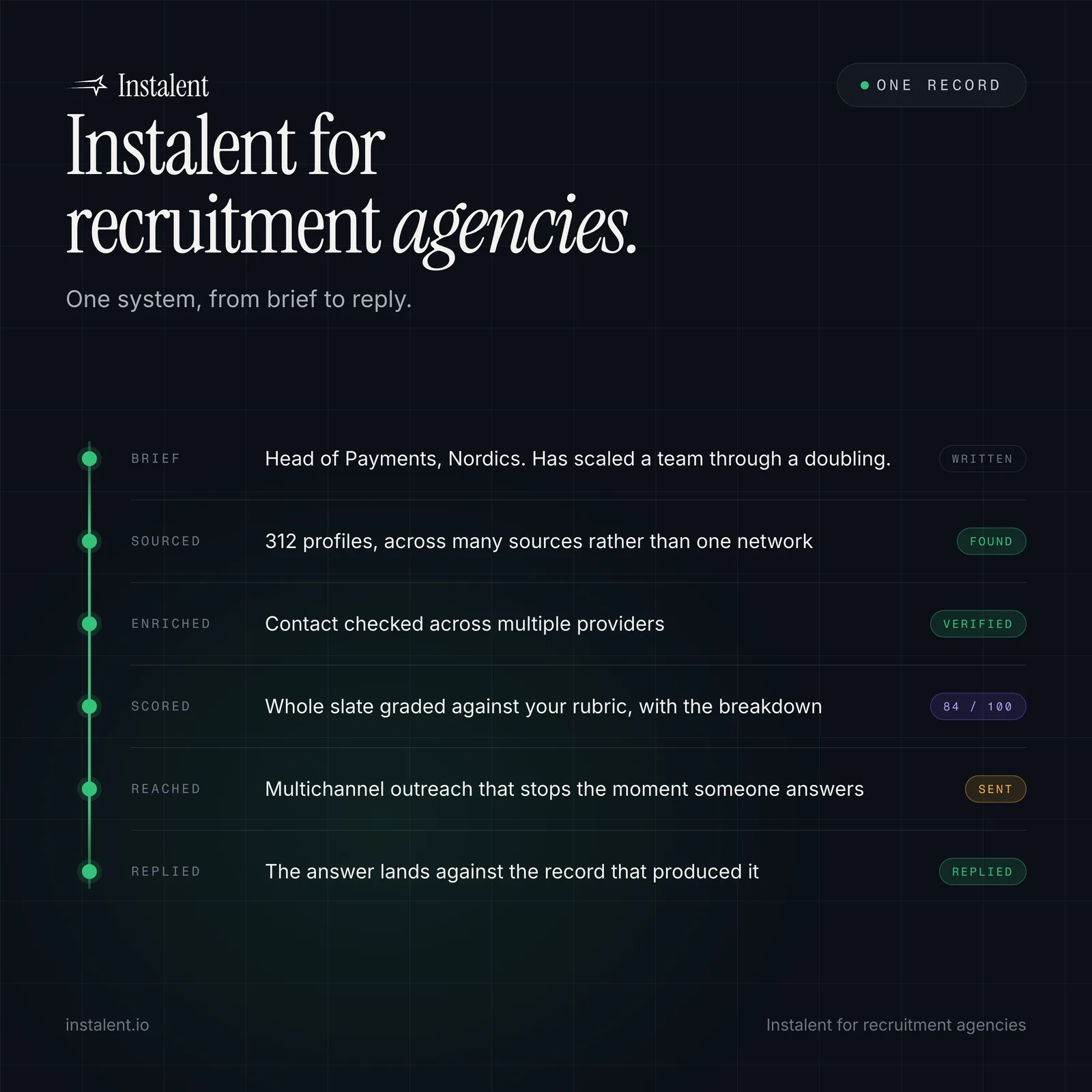
Instalent for Recruitment Agencies: One System From Brief to Reply