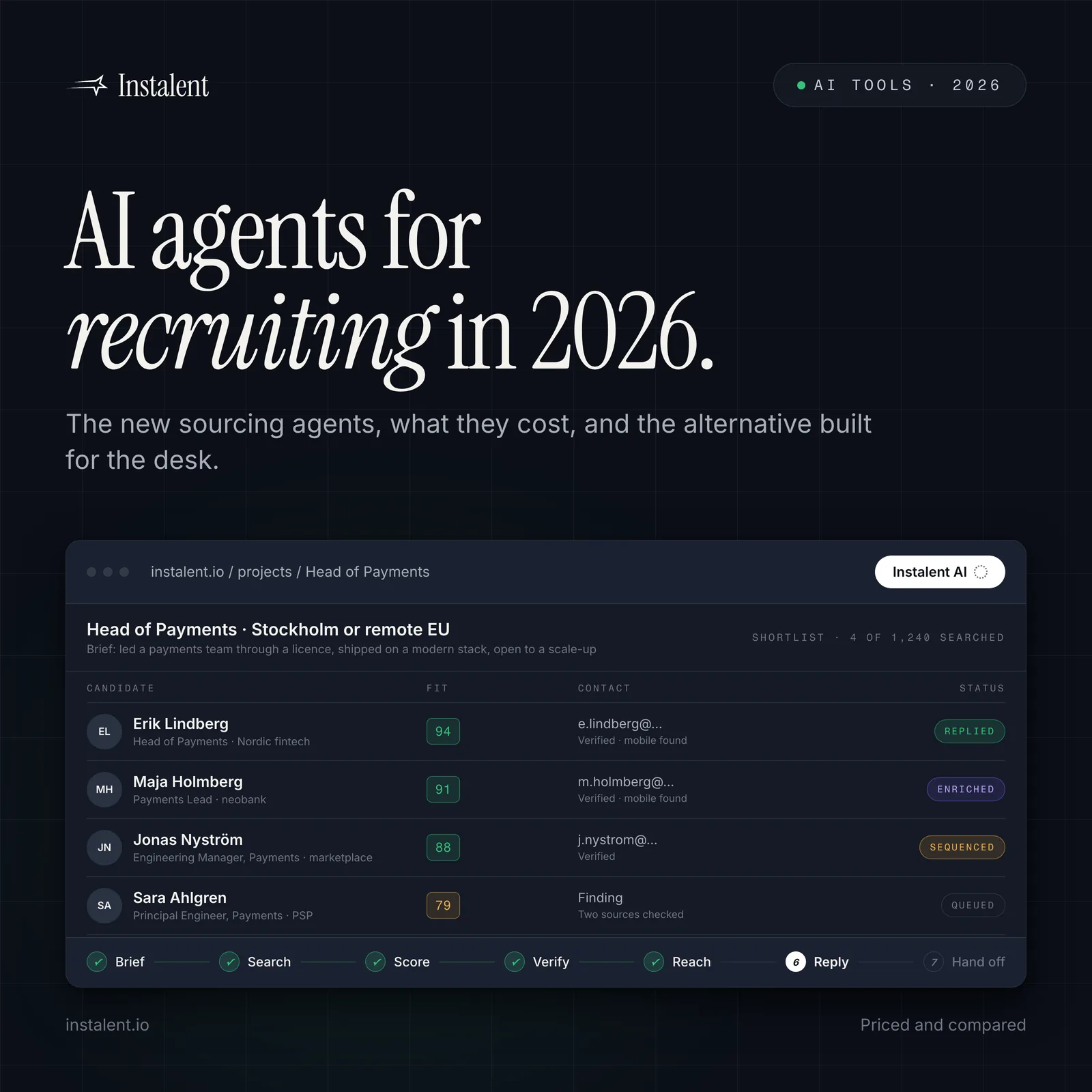
You Can Now Use Instalent in Claude, ChatGPT & Gemini (MCP Setup Guide)
Instalent now works inside Claude, ChatGPT, and Gemini - source candidates, find clients, and run outreach from one chat. Step-by-step MCP setup guide inside.
Do this in Instalent - source, verify and reach candidates in one flow.

Connect Instalent to your AI assistant and that chat box becomes a recruiting co-pilot - one that can source candidates, find new clients, and run your outreach, all from a plain-English request.
You can now use Instalent right inside the AI assistant you already work in - Claude, ChatGPT, Gemini, Cursor, or another favorite. No new app, nothing technical to set up. And it covers the whole recruiting motion, not just one slice of it: sourcing the right candidates, prospecting the companies and decision-makers worth a conversation, and reaching out to either side with a real campaign - in plain English, no Boolean strings.
It works through something called MCP. Don't worry about the tech - we'll keep it plain below and walk you through setup step by step. Connect it once, and your assistant can source, prospect, and reach people whenever you ask.
What MCP means in plain English
Model Context Protocol, usually shortened to MCP, is a secure bridge between your AI assistant and the tools you trust.
Without that bridge, your assistant can talk about recruiting. With the bridge, it can help run the recruiting workflow through Instalent. That's the difference that matters.
Think of MCP as permissioned access. You are not handing your assistant a mystery box. You are connecting it to a specific Instalent endpoint, approving the connection, and then using plain-English requests to trigger the work you already wanted to do.
Here are the kinds of things you can ask for once the connector is live:
- Find candidates that match a role, location, seniority, or niche skill set.
- Find clients, target companies, and the decision-makers you should speak with.
- Enrich verified contact details in the right order: LinkedIn, then email, then phone.
- Score candidates against your own criteria, not a generic "good fit" label.
- Save strong profiles to projects so your search stays organized.
- Draft and launch multi-step outreach when you're ready.
- Push records to your ATS, schedule recurring searches, or export files for review.
A few real-world prompts might sound like this:
- "Find 30 senior React engineers in Berlin and pull their verified emails."
- "Build me a shortlist of product-minded backend engineers who have worked at B2B SaaS companies."
- "Find recruitment leads at companies that are hiring sales leaders, then draft a careful first-touch email."
That's why this is faster. You use plain English instead of a brittle search string. You stay inside the assistant you already use. And while Instalent is sourcing, enriching, scoring, or preparing outreach, you can keep doing the human part of recruiting: reading judgment calls, sharpening the brief, and deciding who deserves your time.
Before you start
You'll need an active Instalent account and an AI client that supports MCP. The screenshots below use Claude, but the same idea applies in any MCP-capable client, including tools your team may already use.
Connect Instalent in Claude
The setup only takes a few minutes. We'll walk through Claude because the screens are clear and familiar, but keep the bigger idea in mind: you're adding Instalent as a custom MCP connector.
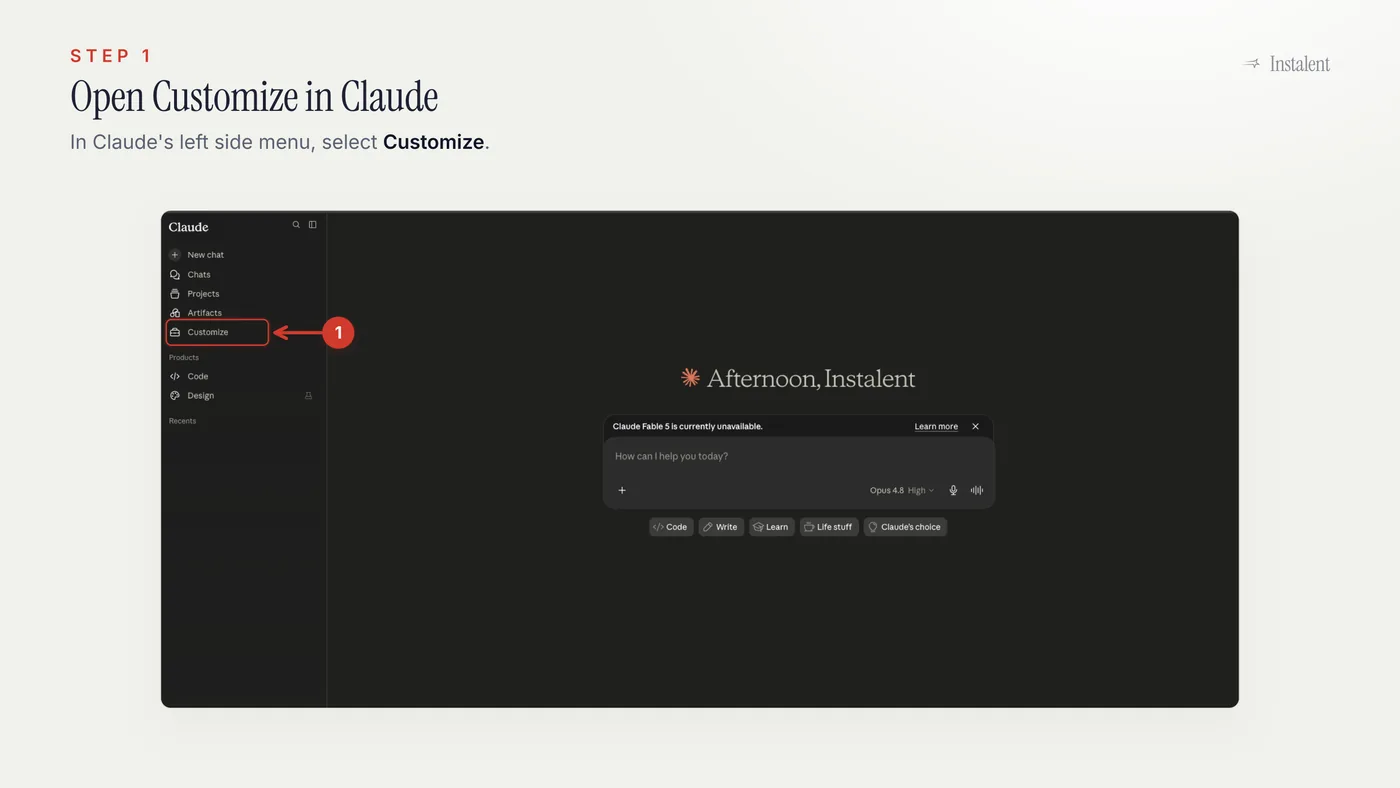
Step 1: Open Customize
Start in Claude and open the left menu. Choose Customize.
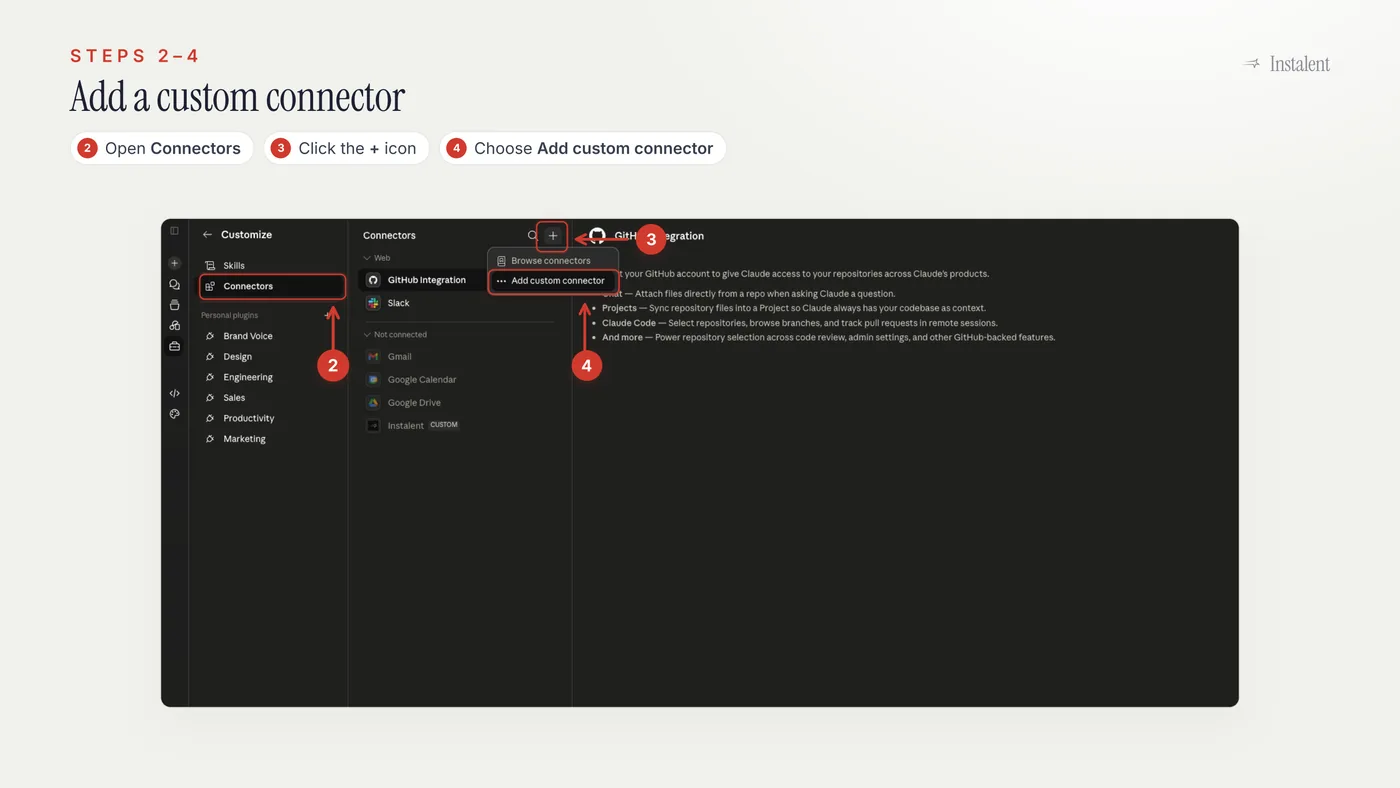
Steps 2 to 4: Add a custom connector
Inside Customize, open Connectors, click the + button, then choose Add custom connector.
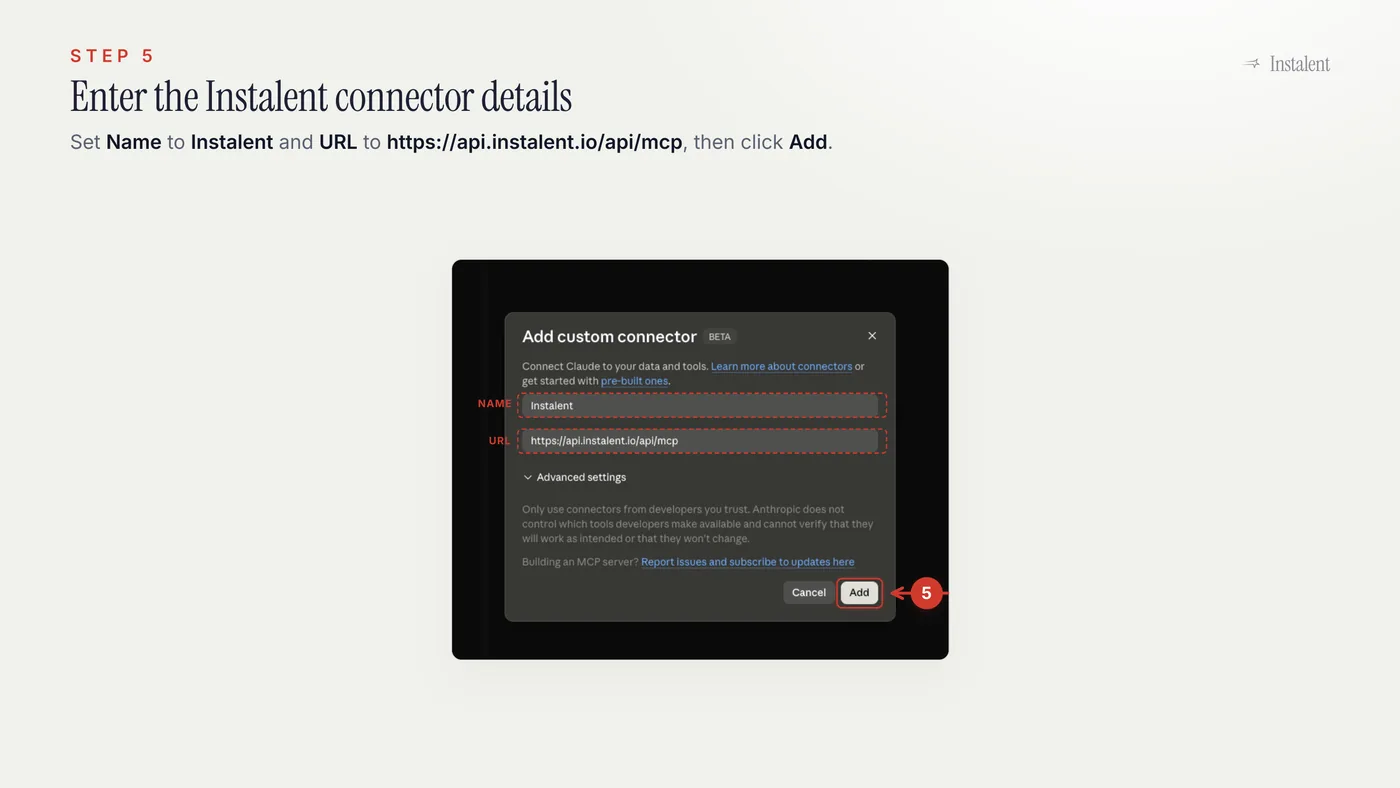
Step 5: Enter the Instalent connector details
In the connector dialog, set the name to Instalent. For the URL, paste this exactly:
https://api.instalent.io/api/mcp
Then click Add.
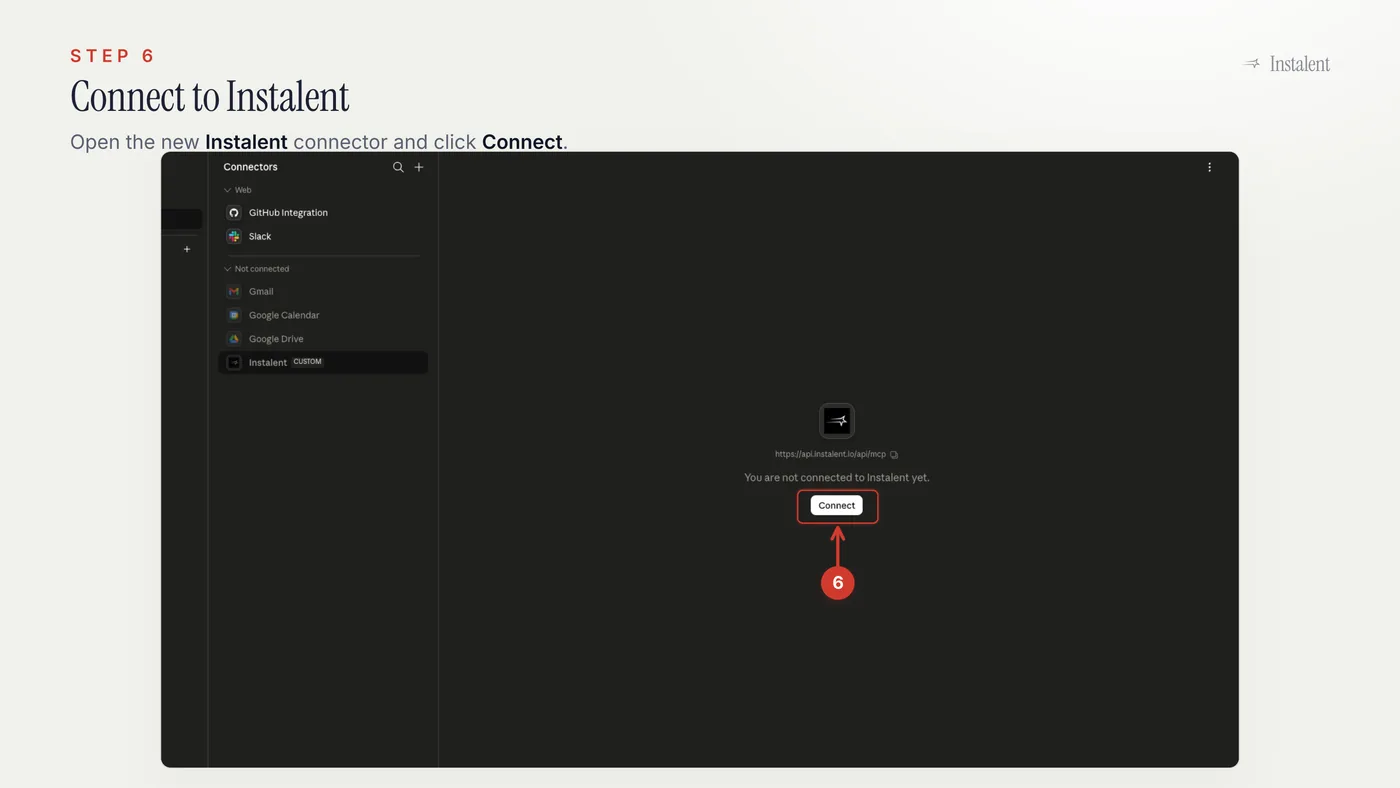
Step 6: Connect Instalent
Claude will show the new Instalent connector in your connector list. Open it and click Connect.
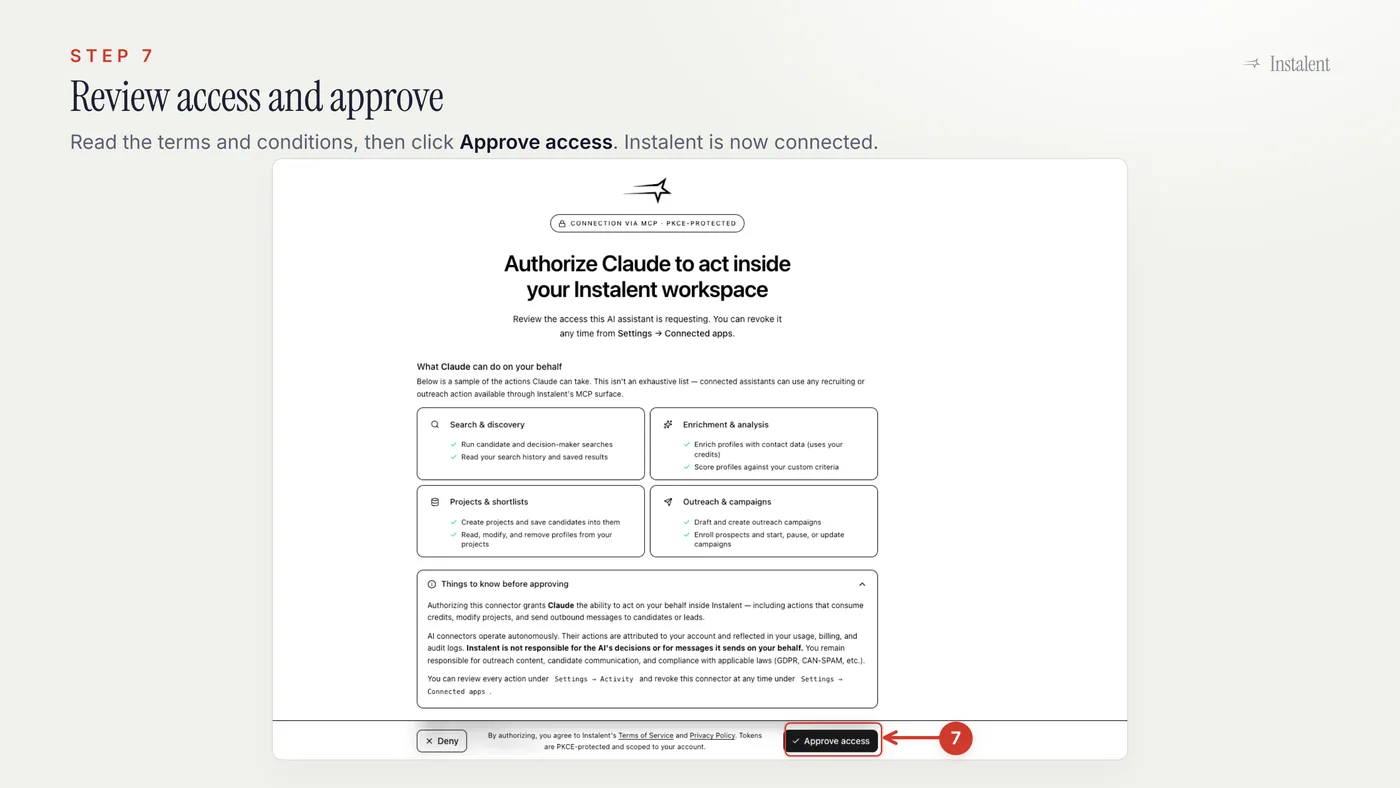
Step 7: Approve access
Review the access screen, then click Approve access. After that, Claude can use the Instalent connector when your request calls for it.
What to try first
Once you're connected, start small. A good first prompt is specific enough to guide the search, but not so loaded that you're trying to solve a whole quarter of hiring in one go.
Try something like:
Find 20 senior frontend engineers in London who have worked on B2B SaaS products. Score them against React depth, product ownership, and startup experience. Enrich LinkedIn, email, and phone where available, then save the strongest matches to a project.
That gives Instalent the shape of the role, the criteria that matter, the enrichment path, and the next action. You can always refine from there:
- "Make the bar stricter on product ownership."
- "Show me more people from scaleups, not enterprise companies."
- "Draft a first outreach sequence for the top ten, but wait for my approval before launching."
The best rhythm feels like a working session. Ask, review, tighten, then move. And the same rhythm works whether you're sourcing candidates, prospecting new clients, or building an outreach campaign - your assistant handles the repeatable steps; you keep the taste and judgment.
Using a different AI client?
Claude is just the walkthrough here. Instalent's connector works with any MCP-capable AI client that lets you add a custom connector, including clients such as ChatGPT, Gemini, Cursor, and others your team may use.
The labels may move around a little. The Instalent URL does not:
https://api.instalent.io/api/mcp
You're connected. Now give your assistant a playbook.
The MCP connector gives your AI assistant access to Instalent. The next step is teaching it how to run the work in a sharper, more recruiter-friendly way.
That's what Instalent Skills are for. They are pre-built playbooks for candidate sourcing, client prospecting, and outreach campaigns, so your assistant doesn't just have access to the tool - it knows how to use it well.
If you're still comparing how this fits into your broader sourcing motion, the complete AI candidate sourcing guide is a good companion read. For what MCP actually is and the questions worth asking before you connect any tool to your stack, see MCP for recruiters. For how this server compares with the eleven others now on the market - and the security controls to insist on before connecting any of them - see recruiting MCP server. You can also review pricing or jump straight into setup.
Create your Instalent account and connect your AI assistant in a few minutes. Start free →
Sources / Learn more
Find better candidates, faster
Source, verify and reach candidates on one engine. Get 50% off your first month.
Keep reading
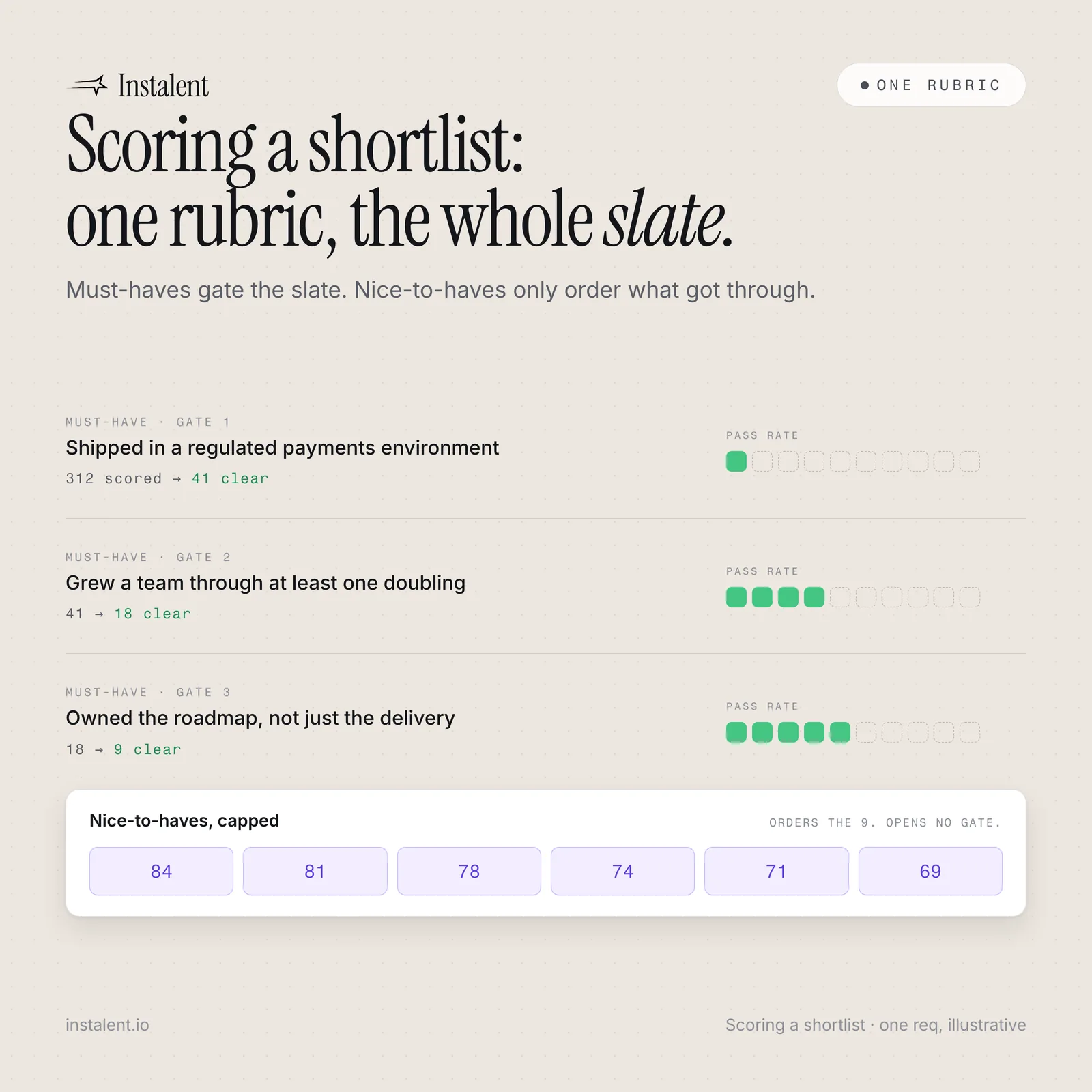
Scoring a Shortlist: One Rubric, the Whole Slate
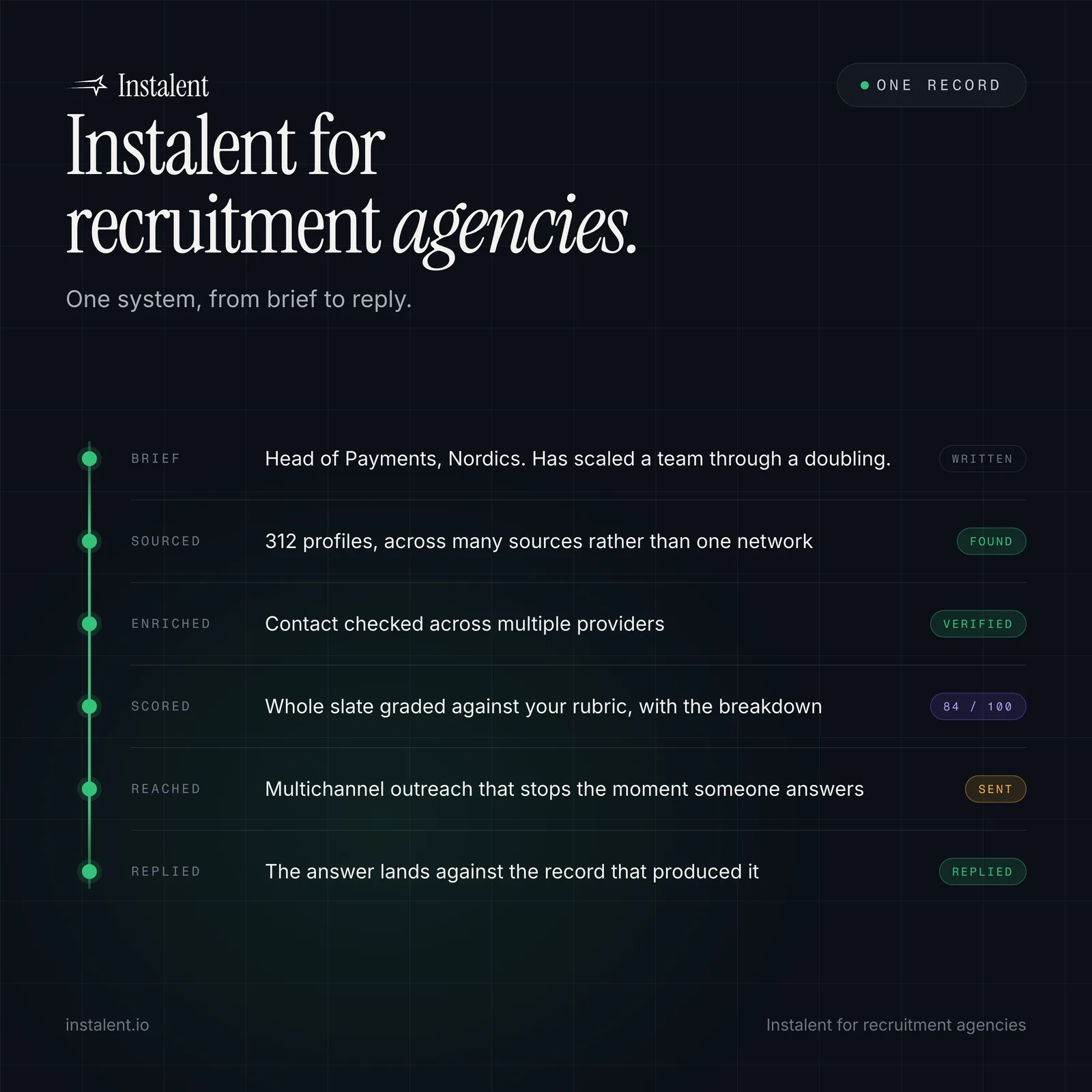
Instalent for Recruitment Agencies: One System From Brief to Reply