Instalent Chrome Extension for Recruiters: Source, Enrich and Reply Without Switching Tabs
The Instalent Chrome extension for recruiters puts sourcing, contact enrichment and AI reply drafting on the page you already have open. Free to install.
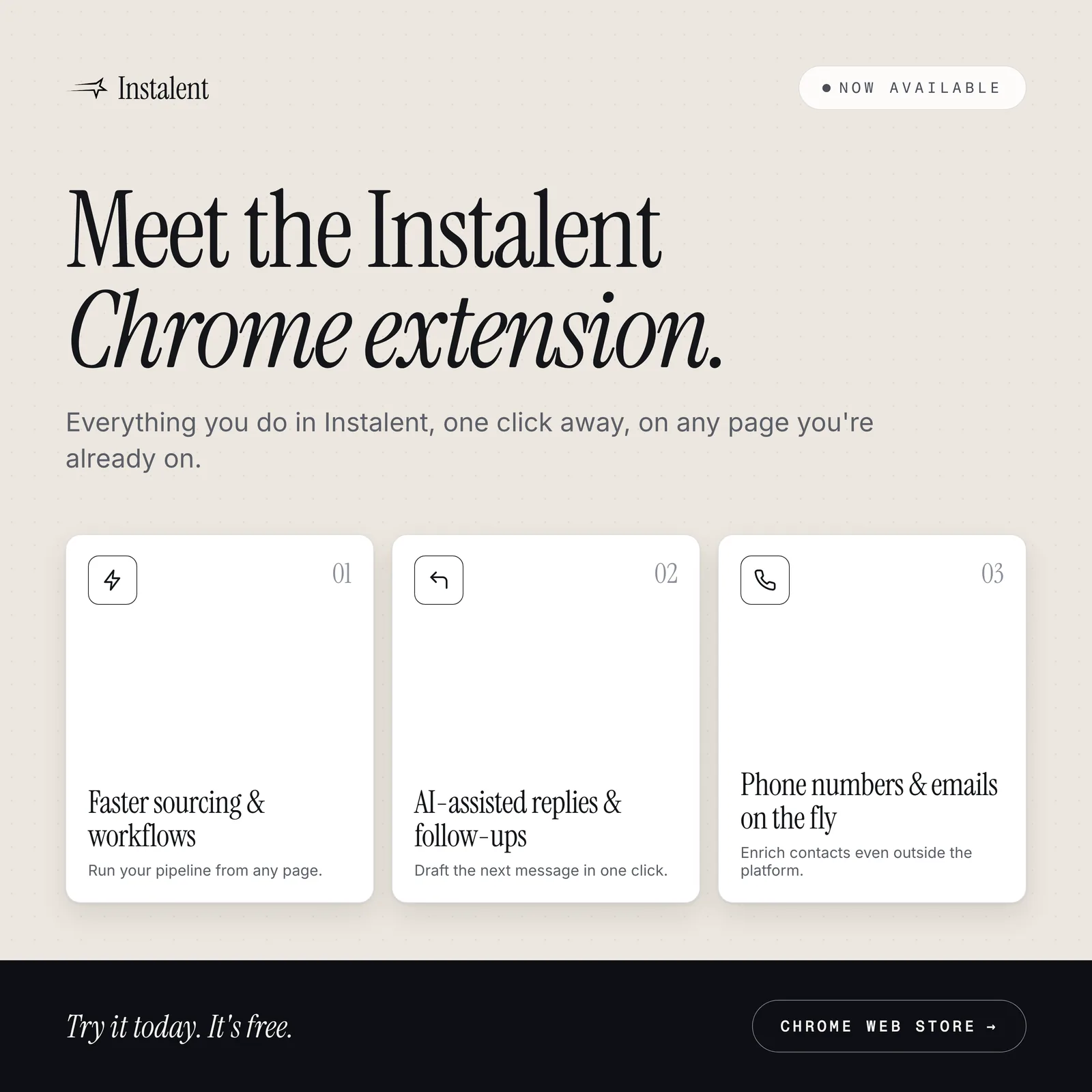
Run your pipeline from any page. The extension is free to install.
A sourcing desk runs on tabs. A profile in one, the search results in another, the ATS, the campaign tool, a message thread, a spreadsheet of people to chase. Harvard Business Review measured what that costs in 2022: across 137 workers at three Fortune 500 companies, people switched between applications about 1,200 times a day, and the reorienting after each switch added up to just under four hours a week, roughly 9% of working time. The Instalent Chrome extension exists to take the switch out of the three moves a recruiter makes most often: save a person, find how to reach them, and answer a message. It is live on the Chrome Web Store today.
What the extension is, and what it is not
It is a side panel in Chrome. You sign in once with the same Instalent account you use on the web (if you are already signed in to Instalent in that browser, the panel is signed in too) and it reads the page you have open: a candidate's profile, a page of people-search results, an open message thread, or a thread in Gmail. Everything you do in Instalent is then one click away, on the page you are already on.
It is not an automation tool, and we built it that way on purpose. Every action is a click you make. Nothing runs while you are away. The panel only reads the page you opened, it never sends or connects on your behalf, and the only thing it ever writes into a page is a reply draft you chose to insert, which you then send yourself. All the real work happens on Instalent's servers, exactly as it does in the web app.
That posture matters for a working recruiter. The tools that promise to "run your outreach for you" from inside your browser are also the tools that get accounts restricted. This one is an enrichment and intelligence panel, and it stays in its lane.
1. Faster sourcing and workflows
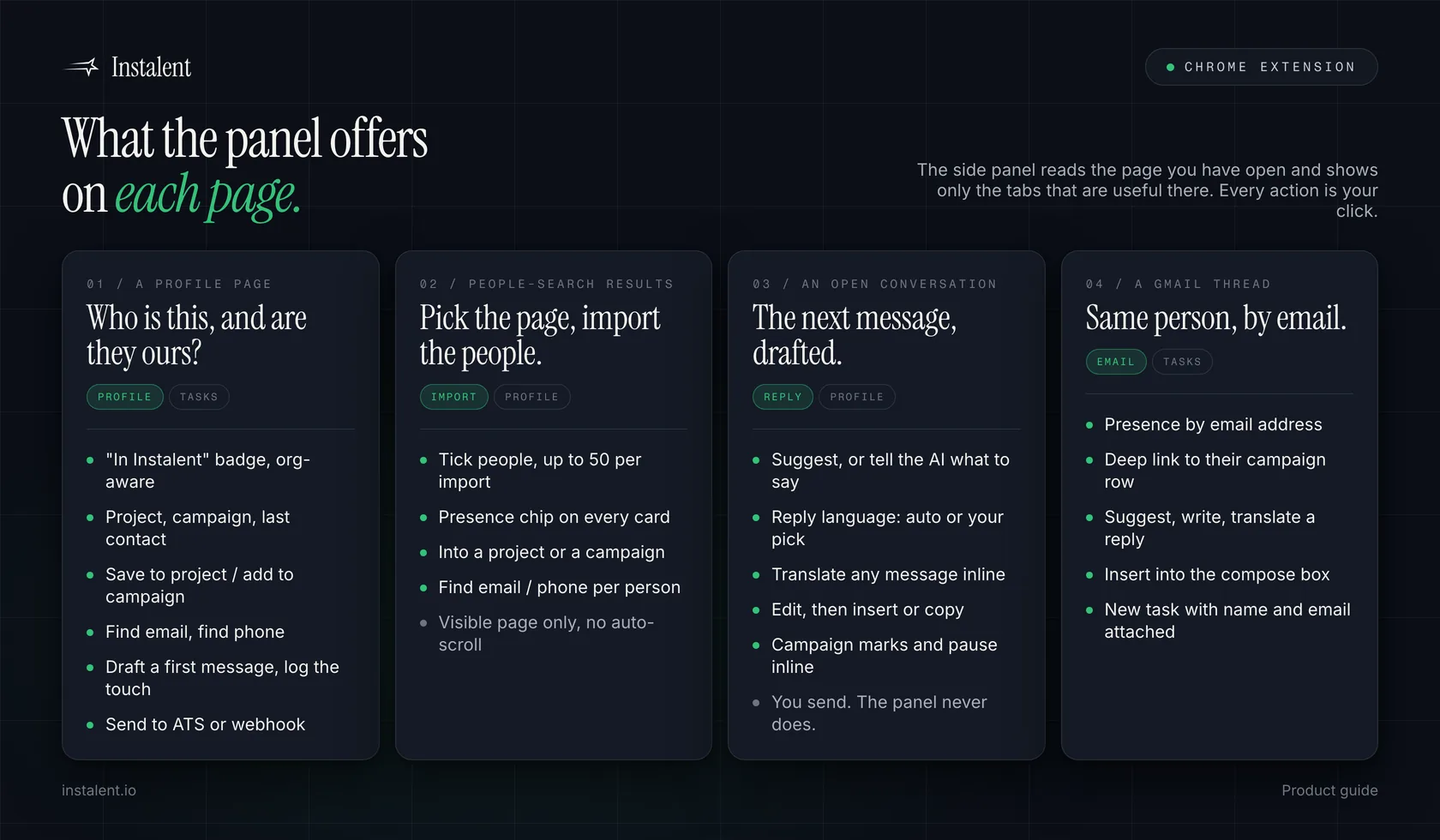
Open a profile and the panel tells you the first thing you actually want to know: is this person already in our workspace? A small badge next to the name reads "In Instalent" or "Not in Instalent yet", and it is org-aware, so a candidate a teammate saved last month shows up as known, with the project or campaign they are in, when they were added, when they were last contacted and where they are in the sequence. That is the end of two consultants pitching the same person in the same week.
From there:
- Save to project or add to campaign in one click. Title and company are derived on the server from the headline, so you do not end up with a project full of blank columns.
- Bulk import from search results. Tick the people you want on a results page and import up to 50 at once into a project or campaign. It is deliberately the visible page only, with no auto-scroll and no pagination, because the tools that crawl page after page are the ones that trip rate limits. A presence chip on each card tells you who is already in the workspace before you tick anything.
- Send to external. The same routes the web profile table uses: a webhook, your ATS (RecruiterFlow, Greenhouse, Lever, TeamTailor) or another tool in your stack.
- Campaign actions without leaving the page. Mark a prospect Interested, Not interested, Call booked or Onboarded, or pause their sequence, from the panel. These call the same campaign routes the unified inbox uses, so the whole team sees the change.
2. Phone numbers and emails on the fly
This is the part most people install it for. On any profile, and on every person in a bulk selection, there is a Find email and a Find phone button. They run the same contact enrichment cascade as the web app: verified enrichment from multiple sources, checked in sequence until a result is found, and you are only charged when a value actually comes back.
Three details that matter on a busy desk:
- If the person has been enriched anywhere in your workspace before, you see the data instantly and pay nothing.
- Results are cached for the browser session, so switching tabs or reopening the panel does not lose what you already found.
- Found values are click-to-copy, and they merge into anything you then send to your ATS or a webhook.
It also works outside your sourcing platform. Open a thread in Gmail and the panel shows who you are talking to, whether they are already in a project or campaign, and their enrichment status, keyed by email address.
3. AI-assisted replies and follow-ups
Open a conversation and a Reply tab appears. It reads the thread you have open and drafts the next message, in a recruiter's voice, with a guard against inventing facts that are not in the conversation. You can:
- press Suggest and get a draft, or tell the AI what to say and get that instead;
- pick the reply language, or leave it on Auto to match the conversation;
- translate any message in the thread inline, with a "show original" toggle;
- edit the draft, then Insert it into the composer or Copy it.
The same assistant works over an open Gmail thread. In every case you review, you edit, you send. The extension never sends a message itself.
For a first touch, the Outreach card drafts a message or a short connection note, picks the right one based on whether you are already connected, and offers a Log this touch button that records the outreach as a follow-up task, so the person you messaged on Tuesday is in your Thursday list without you writing it down. If you already use the reply agent on campaigns, this is the same discipline applied to the conversations you handle yourself.
Tasks travel with you
The Tasks tab shows your pending follow-ups from anywhere in Instalent, lets you complete them, and lets you create a new one with the page context attached automatically: the person's name and profile link on a profile page, their name and email on a Gmail thread. It is the same task list you see in the dashboard.
Read-only by design
A few things we would want to know before installing anything into a browser we recruit from, answered plainly:
- It reads only the page you have open. It never crawls, never works while you are away, and never originates traffic to the site you are on.
- It never writes to that site. No connection requests, no messages, no invites. The single exception is inserting a reply draft you chose, into the composer, for you to send.
- Bulk selection is capped at the visible page and 50 people per import.
- Nothing sensitive ships in the extension itself. No prompts, no business logic, no credentials. Every request goes to an authenticated Instalent endpoint, and ownership of every project and campaign is checked on the server, so the panel can only ever show you what your account could already see.
- On first run it tells you exactly what it reads and asks you to agree before anything is collected. The privacy policy has the full section on the browser extension.
Credits and rate limits
Enrichment charges the same credit balance as the web app, and only when a value is found. The AI features (drafts, reply suggestions, translation) are free and rate-limited per user, so a busy desk never gets a surprise bill for drafting messages.
Install it in two minutes
- Add it from the Chrome Web Store. It is free.
- Open any profile page. A small Instalent trigger appears on the right edge of the window. Click it to open the panel.
- If you are signed in to Instalent in that browser, you are already signed in. If not, sign in inside the panel and the web app signs in with you.
Pin the extension to the toolbar and it stays a click away on every page. Signing out on either side signs out both, which is what you want on a shared machine.
Want your sourcing, enrichment and replies on the page you are already looking at? Install the extension, then get started with Instalent if you have not yet. It plugs straight into AI candidate sourcing, your multichannel campaigns and the shared inbox, so a person saved from the panel is in the same pipeline as everyone else.
Related reading: candidate follow-up automation on what should run on its own and what must stay human, recruiter productivity tools for the wider stack, and connecting Instalent to your AI over MCP if you would rather work from Claude or ChatGPT than from a browser panel.
Sources
- Harvard Business Review - How Much Time and Energy Do We Waste Toggling Between Applications? (August 2022; 137 users across 20 teams at three Fortune 500 companies, observed for up to five weeks: roughly 1,200 application switches per person per day, just over two seconds per switch, just under four hours a week reorienting, about 9% of working time)
- Instalent - Chrome Web Store listing (live listing, September 2026)
Find better candidates, faster
Source, verify and reach candidates on one engine. Get 50% off your first month.
Keep reading