Cold Email Infrastructure for Recruiters: Domains, Mailboxes and Warm-Up, Now Inside Instalent
What cold email infrastructure is, the bar Google and Microsoft now set for senders, and how the Instalent Email Store handles domains, mailboxes and warm-up for you.
Buy the domains, get the mailboxes, let us warm them up. Sending the same week.
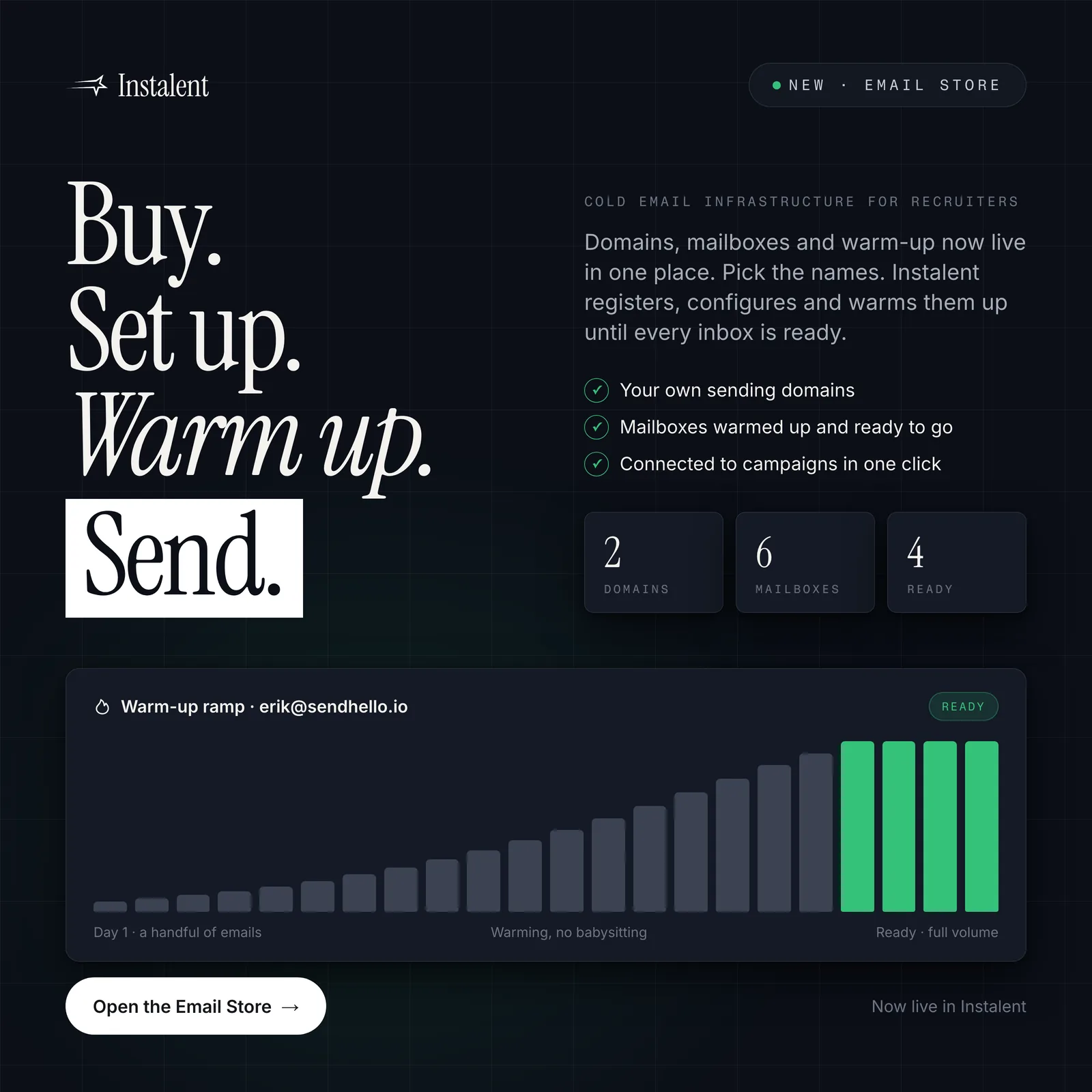
Every outbound desk hits the same wall at the same point. The sourcing is good, the list is verified, the sequence is written, and then someone asks which mailbox it is going out from. The honest answer is usually "mine", which is how a recruiter's main address ends up carrying the reputation of every cold sequence the desk has ever sent. Cold email infrastructure is the layer that fixes that: separate sending domains, mailboxes on those domains, the DNS records the big inbox providers now require, and a warm-up period before anyone sends at volume. Until now it meant three vendors and an afternoon of DNS. Today it is a tab inside Instalent.
What cold email infrastructure actually is
Strip the vendor language away and there are five parts:
- Sending domains. Look-alike domains that belong to you but are not your main one. Your main domain sends offers, contracts and invoices; it should never carry a cold sequence.
- Mailboxes. Real inboxes on those domains, each with its own sending limit and its own reputation.
- Authentication. SPF, DKIM and DMARC records on every sending domain, so the receiving server can prove the mail came from you.
- Warm-up. A period where each mailbox sends low, rising volume to engaged inboxes, so that by the time a campaign starts the mailbox already looks like a normal sender.
- Monitoring. Bounce rate, spam-complaint rate and connection health, watched continuously, with sending paused the moment something breaks.
Most desks buy the first three from a registrar and a mailbox provider, the fourth from a warm-up service and the fifth from nobody, which is why the first sign of trouble is usually a client saying "your email went to junk".
The bar the inbox providers now set
This stopped being optional in 2024. Google's sender guidelines require every sender to Gmail to authenticate with SPF or DKIM, and anyone sending more than 5,000 messages a day to Gmail accounts to have SPF, DKIM and DMARC in place, support one-click unsubscribe on marketing mail, and keep the spam rate reported in Postmaster Tools below 0.10%, never reaching 0.30%. Those requirements took effect on 1 February 2024.
Microsoft followed. From 5 May 2025, senders of more than 5,000 messages a day to Outlook.com, Hotmail and Live addresses must pass SPF and DKIM and publish a DMARC record with at least a p=none policy, aligned with one of the two. Mail that fails is rejected outright rather than filed in junk.
An agency sending a few hundred cold emails a day is under those thresholds, but the filters that enforce them are not threshold-aware. Unauthenticated mail from an unknown domain is treated as what it looks like. We covered the list-hygiene half of this in how to protect your sender reputation; this post is about the infrastructure half.
Why a recruiting desk needs this more than a sales team does
A sales team has one audience. A recruiting desk has two, and they need different mailboxes.
- Candidate outreach is high-volume, personal and time-sensitive. A warmed mailbox per consultant, on a domain that is not the firm's, protects the firm when a sequence underperforms.
- Client development is lower-volume and higher-stakes. A hiring manager who marks you as spam does not just cost you that reply; if you were sending from the main domain, they cost you the next proposal's deliverability too.
Keeping both off the primary domain, on mailboxes that can be paused, replaced or retired without touching anyone's real inbox, is the whole point. It is also why "just use your Gmail" advice from sales blogs does not survive contact with an agency that sends both kinds of mail from the same desk.
Introducing the Email Store
The Email Store is a new section in Instalent where you buy and manage sending infrastructure, and it is built around the four steps above rather than around a vendor's catalogue.
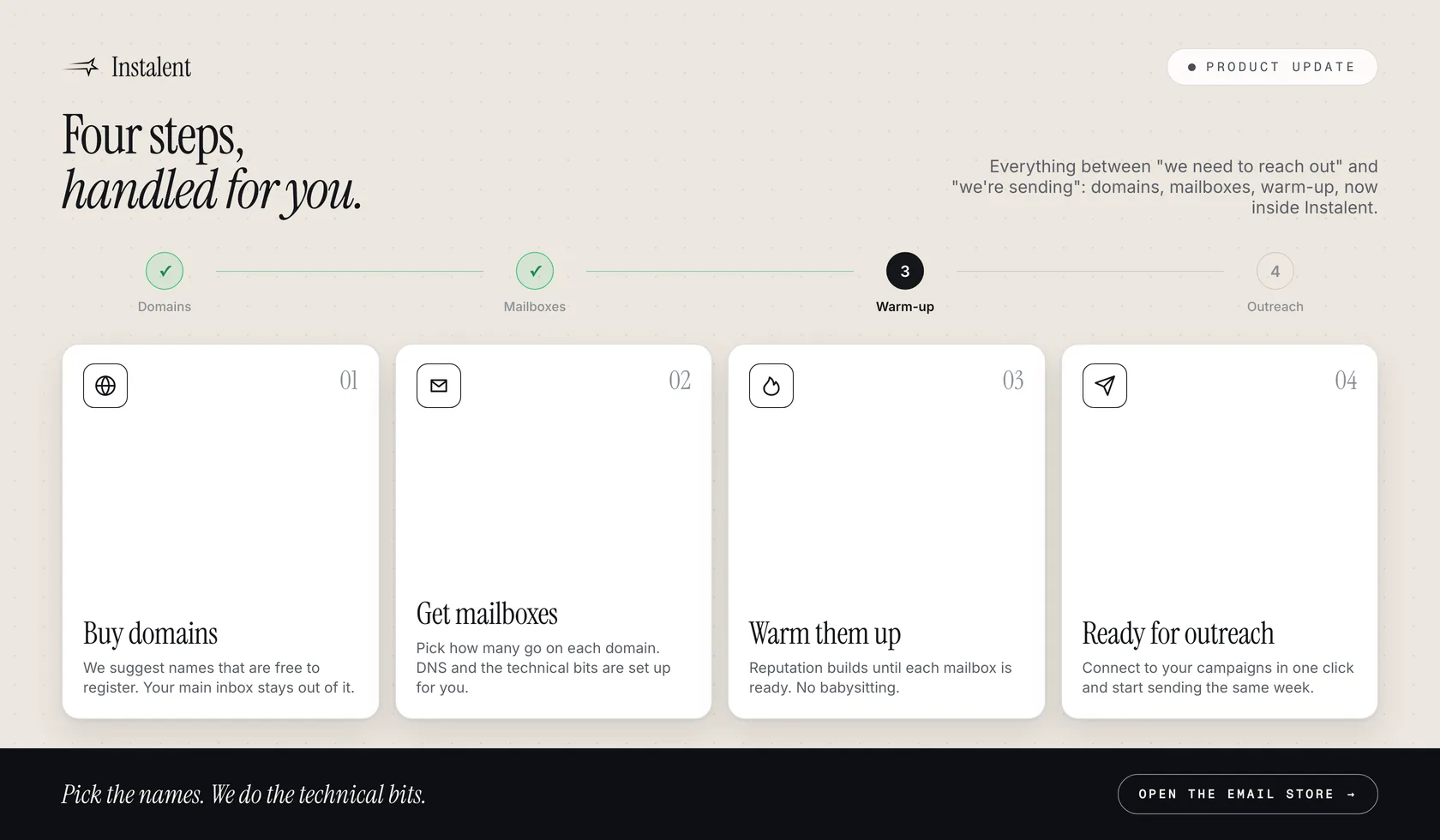
- Buy domains. Start from your company name and we suggest sending domains that are free to register. You pick; we register and hold them for you, configured for sending. Your main inbox stays out of it entirely. If you ever want a domain transferred to you, support does it at no charge.
- Get mailboxes. Choose how many go on each domain. DNS, SPF, DKIM and DMARC are set up for you, with an optional address for DMARC reports.
- Warm them up. Mailboxes are warmed up and ready to go, without you babysitting a schedule. If you need to send this week rather than next, pre-warmed packs are ready-made mailboxes on domains that already carry a reputation. Their identities are fixed, precisely to protect that reputation.
- Ready for outreach. Connect a mailbox to your multichannel campaigns in one click. Replies land in the unified inbox, tied to the campaign and the prospect, where the reply agent can draft or answer them.
Connecting is always your click, never automatic, because a connected mailbox uses a plan slot. A mailbox reads as "Connected" only when the inbox link actually exists, so the dashboard never tells you a sequence is live when it is not.
Two add-ons for when the basics are in place
SSL and masking puts a certificate on a sending domain and forwards anyone who types it into a browser to your real website, so a curious hiring manager who checks the domain lands on you, not on a parking page. It needs a forwarding address set first. A dedicated IP gives your account its own sending address, so your reputation depends only on your own behaviour rather than on shared infrastructure. Dedicated IPs are set up by our team after purchase, usually within two business days, and you are notified the moment it is live.
What happens when something breaks
Infrastructure earns its keep on the bad days. Three behaviours worth knowing:
- A mailbox that becomes unavailable pauses the campaign, never the prospect. If a connection is revoked, disconnected or deleted, the sequence pauses at that step. Nobody is burned and nobody is skipped. Reconnect the mailbox and resume.
- Billing failures do not delete anything immediately. Mailboxes bill monthly, domains yearly with a reminder thirty days ahead. If a payment fails you get a fifteen-day window to fix it before mailboxes are removed and domains released.
- Cancelling has an undo. A cancelled mailbox can be brought back within 24 hours.
Infrastructure does not fix a bad list
A warmed mailbox on a clean domain will still be marked as spam if it sends to unverified addresses. Keep bounces under 1%, verify before you send, and let the sequence stop the moment someone replies. The infrastructure protects the firm from the consequences of a mistake; it does not make the mistake safe.
Where to start
If you are sending from a personal or company mailbox today, the order is: buy two sending domains, put three mailboxes on each, let them warm, and move one campaign over. Keep your main domain for the mail that has to arrive: offers, contracts, interview confirmations. Watch bounce and complaint rates for the first two weeks, then move the rest.
Ready to stop sending cold outreach from your own inbox? The Email Store is live in Instalent, one click from your account menu. Get started, pick the names, and we do the technical bits.
Related reading: recruiting cold outreach templates for what to send once the mailboxes are ready, recruitment reply management for what happens when they answer, and outbound recruiting in 2026 on why the outbound desk is winning.
Sources
- Google - Email sender guidelines (requirements in force since 1 February 2024: SPF or DKIM for all senders; SPF, DKIM and DMARC for senders of more than 5,000 messages a day to Gmail; one-click unsubscribe on marketing mail; keep the Postmaster Tools spam rate below 0.10% and never reach 0.30%)
- Microsoft - Strengthening Email Ecosystem: Outlook's New Requirements for High-Volume Senders (enforcement from 5 May 2025 for senders of more than 5,000 messages a day to Outlook.com, Hotmail.com and Live.com: SPF and DKIM must pass, DMARC with at least p=none aligned with SPF or DKIM; non-compliant mail is rejected)
Find better candidates, faster
Source, verify and reach candidates on one engine. Get 50% off your first month.
Keep reading